Showing posts with label Gardening System. Show all posts

Thursday, October 6, 2016

Land Plot Update: Hestia and Isle of Troy

Land Plot Update: Hestia and Isle of Troy

Hestia Settlement: Bidding Opens Next Week...


Bidding for Land Plots on “Hestia Settlement” on Planet Calypso opens October 12, 9:00 UTC in a reverse bid auction.

The new Settlement offers 57 Land Plots located at a scenic waterfront setting near plentiful hunting grounds and the newly added Fort Lahar.

Those interested in obtaining the Plots can take part in the reverse bid auction using their existing Calypso Land Deeds (CLDs). To do this, Avatars must first interact with the Plot Terminal on the Land Plot to acquire the Estate Deed. Once acquired, an Avatar can claim the Plot using the Estate Terminal.

Isle Of Troy Settlement — Revamped!

Land Plots on "Isle of Troy Settlement" have been visually revamped to more closely resemble the high-quality look of the other Settlements.

Background and Further Information

Housebuilding on Land Plots provides a market for Composite Planks that are crafted from materials acquired in Resource Gathering. In addition, the Gardening System allows Land Plot owners that have a House within the CLD Estate System to create saleable organic goods.

To view full details on all buildable Land Plots on Planet Calypso as well as an overview of the CLD Estate System, please see the Land Plot Page.

Wednesday, October 5, 2016

Gardening has Arrived!

Gardening has Arrived!

Entropia Universe is proud to present the new Gardening System! Those that have a house can now build Gardening Boxes and start producing goods. Further updates to the Gardening System are already being planned, so expect more content soon!

Here is a gardening guide to get you started.


Building Gardening Boxes

Each house you build adds a number of ‘Gardening Points’ to your Plot. Gardening Points define how many Gardening Boxes you can build. For instance, a basic “Omegaton Acorn” Gardening Box is 1 point. The number of Gardening Points are shown next to the green square in the Plot Management UI.


Choose Construction Mode (middle button) on the Plot Management UI, choose the Gardening Box and then “Construct”. Execute the first stage to place the Gardening Box on your plot. If you wish to move the Gardening Box after placing it, choose Logistics Mode (right button) on the Plot Management UI and then click the icon above the Gardening Box.

Once your Gardening box is placed on your Plot you need to finish building it. To do this remain in Construction Mode and click the icon over the Gardening Box. There are 3 more building stages. Click the icon over the Gardening Box to see these stages. Each stage will show the materials needed to execute that stage.

Growing Plants


Once your Gardening box is finished it’s time to start growing plants!

Choose Production Mode (left button) on the Plot Management UI and click the icon above one of the Plant Slots. This will bring up a list of available plants to grow. Select the plant you wish grow to view the materials required for the next stage. After initiating a stage you will have to wait for that stage to be completed. The waiting time is shown by a counter under the stage description. After all stages are complete you can harvest your plant and obtain the fruit!

Have a great time gardening!

Tuesday, September 27, 2016

Gardening System Soon to Be Released!

Gardening System Soon to Be Released!

How does your garden grow? Soon you’ll be able to find out!


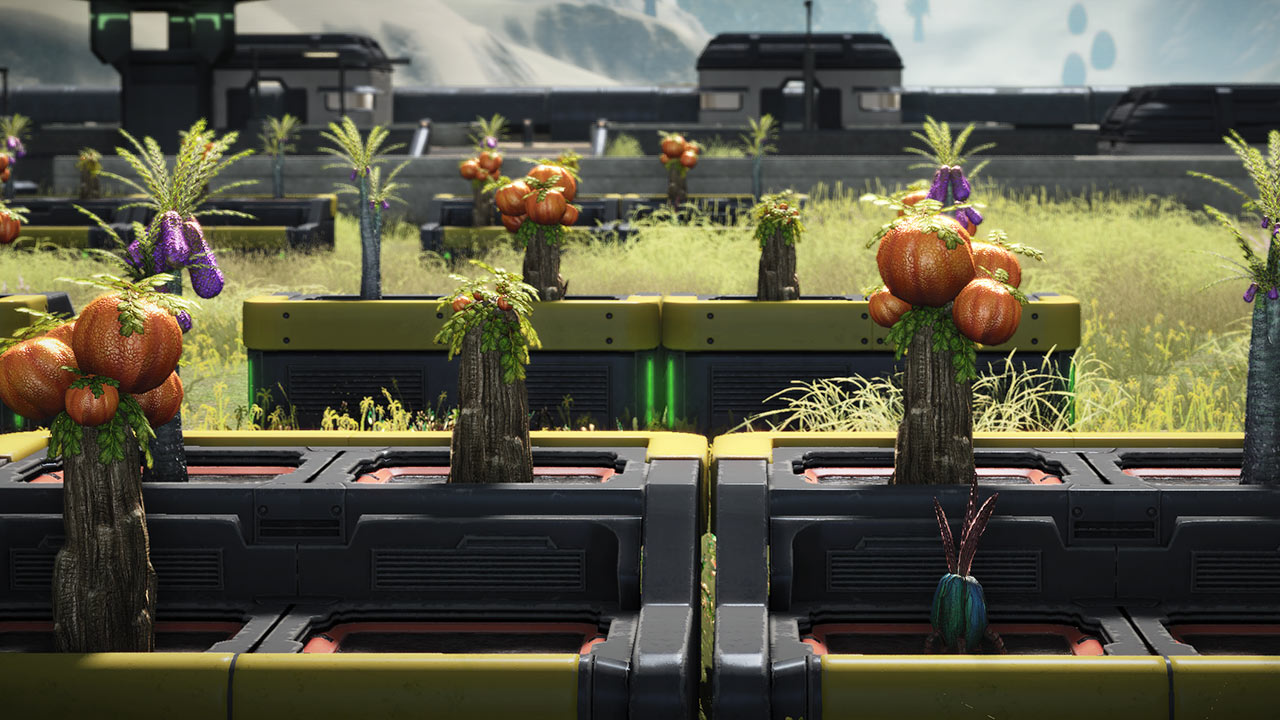
Gardening Boxes (pictured) will be available on Planet Calypso this fall as part of the next exciting stage of the Estate System. As well as creating saleable goods, working on your garden builds up points that will unlock upgrades to your home and increase its value!